stc (Saudi Telecom Company) — Customer Experience Index (CEI) dashboard
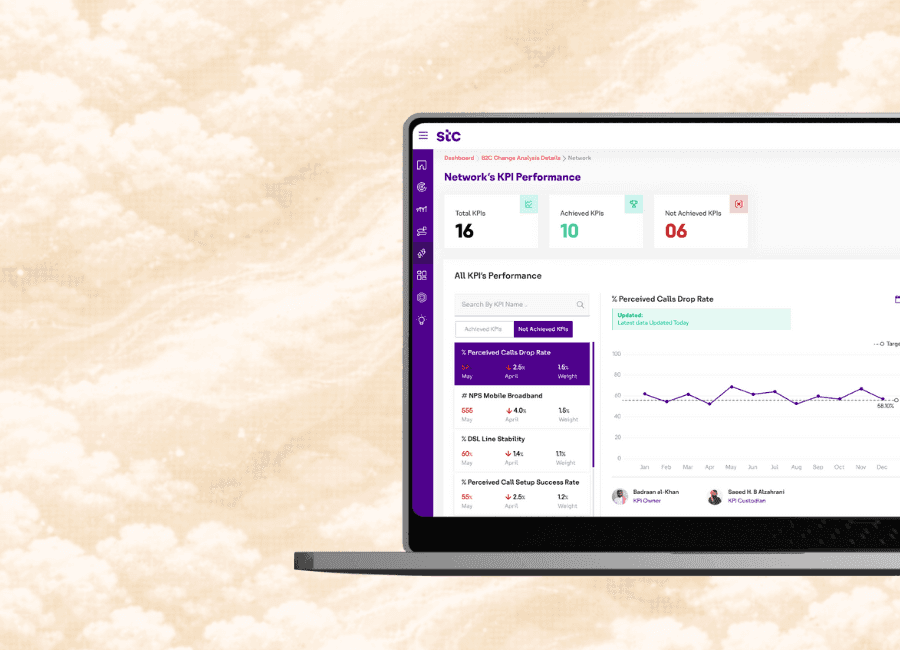
Redesigned Customer Experience Index (CEI) Dashboard to improve visibility across 3 business units.
Industry:
Telecommunications
Role:
Information & UI Designer
Contribution:
Information architecture, Data visualization, UI design, and Interaction design.
Overview
Overview
Saudi Telecom Company (stc Group) is the largest telecommunications provider in Saudi Arabia and a major digital services operator across the Middle East, North Africa (MENA) region
Saudi Telecom Company (stc Group) is the largest telecommunications provider in Saudi Arabia and a major digital services operator across the Middle East, North Africa (MENA) region
With operations spanning multiple business units, executives rely on data-driven insights to maintain competitive advantage and operational excellence.
With operations spanning multiple business units, executives rely on data-driven insights to maintain competitive advantage and operational excellence.
Problem
Problem
stc executives faced inefficient decision-making due to fragmented dashboards and manual reporting. The system lacked visual clarity, data linkage, and automation—preventing real-time insights and drill-down analysis.
stc executives faced inefficient decision-making due to fragmented dashboards and manual reporting. The system lacked visual clarity, data linkage, and automation—preventing real-time insights and drill-down analysis.
Impact: Delayed reports, data inconsistencies, and limited visibility across business units undermined agility and confidence in strategic decisions.
Impact: Delayed reports, data inconsistencies, and limited visibility across business units undermined agility and confidence in strategic decisions.
My role
My role
I worked as the Information & UI Designer, collaborating with a UX designer (user flows and research) and product manager (requirements and stakeholder management).
I worked as the Information & UI Designer, collaborating with a UX designer (user flows and research) and product manager (requirements and stakeholder management).
My responsibilities included:
Analyzing KPI hierarchies and structuring information architecture
Designing data visualizations (charts, graphs, visual patterns)
Creating dashboard layouts
Defining drill-down patterns and micro-interactions
My responsibilities included:
Analyzing KPI hierarchies and structuring information architecture
Designing data visualizations (charts, graphs, visual patterns)
Creating dashboard layouts
Defining drill-down patterns and micro-interactions
Challenge
Challenge
How might we help executives proactively identify trends, delays, and opportunities using real-time dashboards?
How might we help executives proactively identify trends, delays, and opportunities using real-time dashboards?

Approach
Approach
Over three months, I followed a structured process to transform complex data into an intuitive executive dashboard.
Requirements Gathering: I collected data sources and KPI requirements from each business unit to understand metrics, relationships, and detail levels.
Data Analysis: I understood KPI interdependencies and reporting hierarchies to determine information flow across dashboard layers.
Information Architecture: I structured content hierarchy, designed data groupings, and selected appropriate visualization patterns for clarity and context.
Interactive Prototyping: I built interactive layouts with charts, graphs, and drill-downs; added micro-interactions to support intuitive exploration and real-time decision-making.
What we shipped
What we shipped
I designed five solutions that addressed core friction points: comprehensive data visualization with drill-down capabilities, collaborative annotations, easy and clear navigation, design system for data clarity and multi-device accessibility
I designed five solutions that addressed core friction points: comprehensive data visualization with drill-down capabilities, collaborative annotations, easy and clear navigation, design system for data clarity and multi-device accessibility
Solution 1
Solution 1
Comprehensive data visualization with drill-down capabilities
Comprehensive data visualization with drill-down capabilities
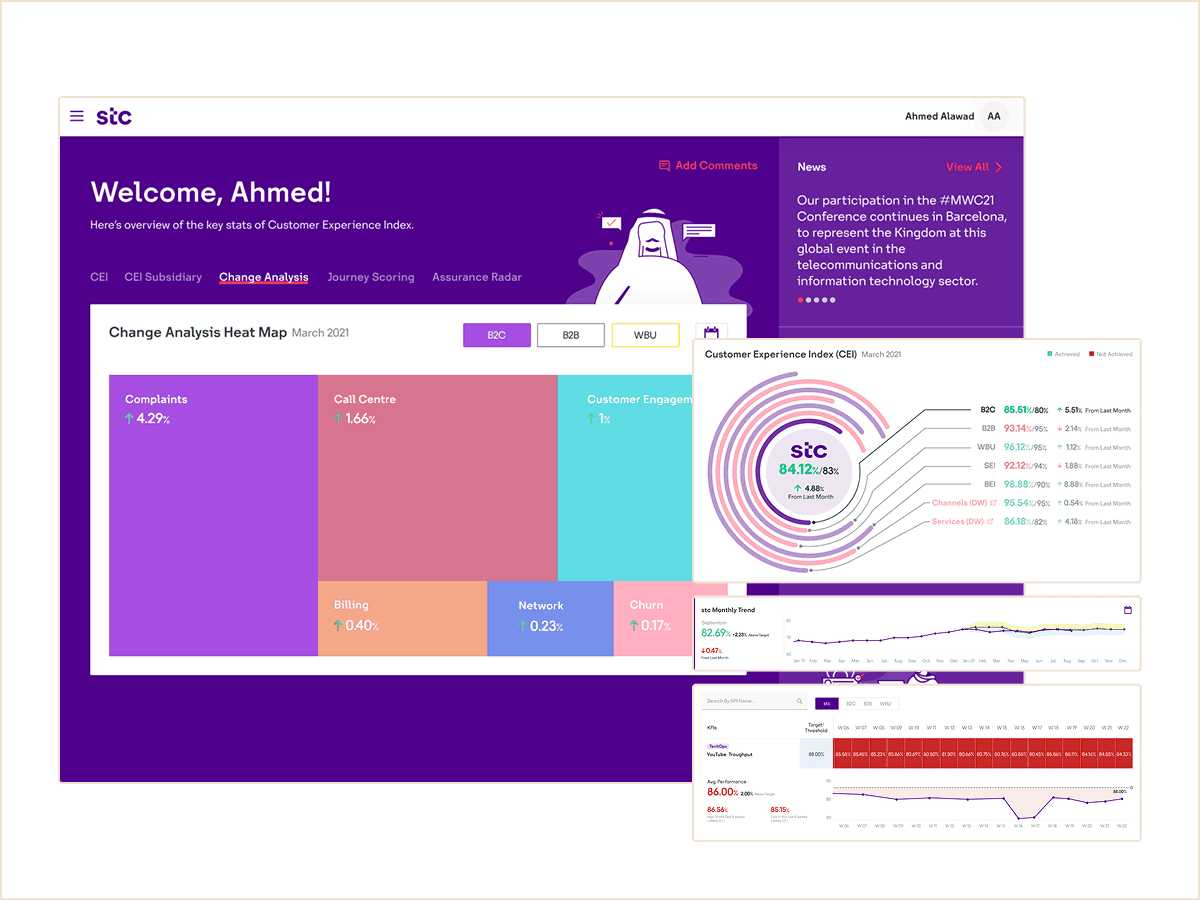
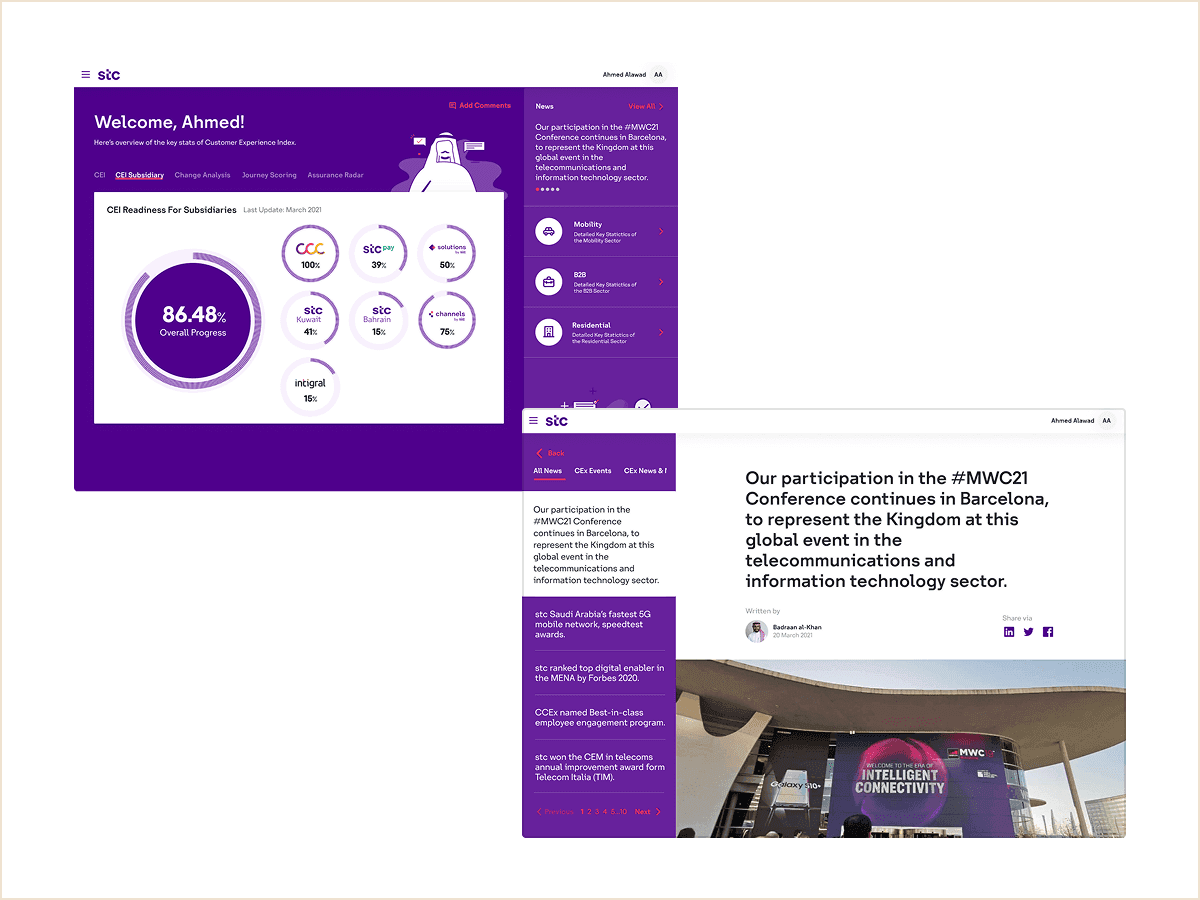
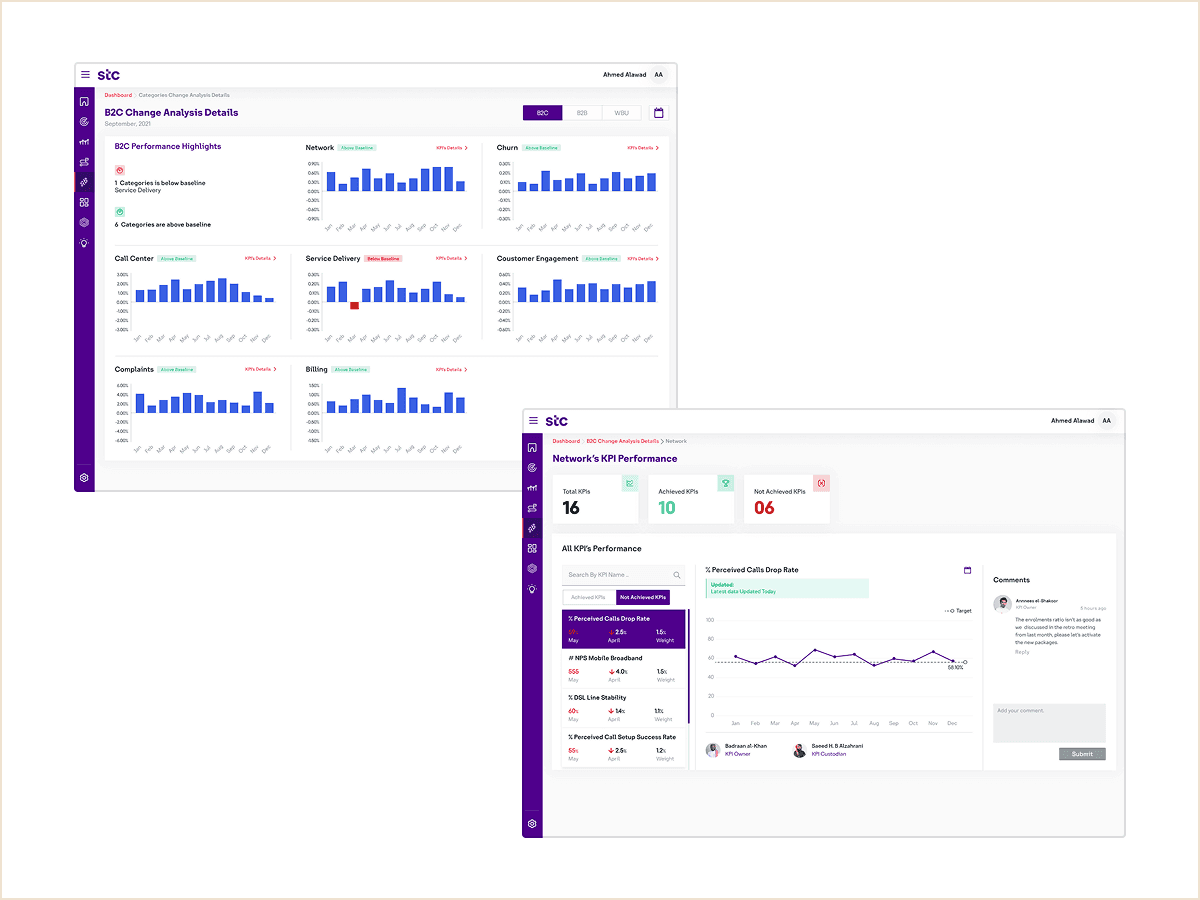
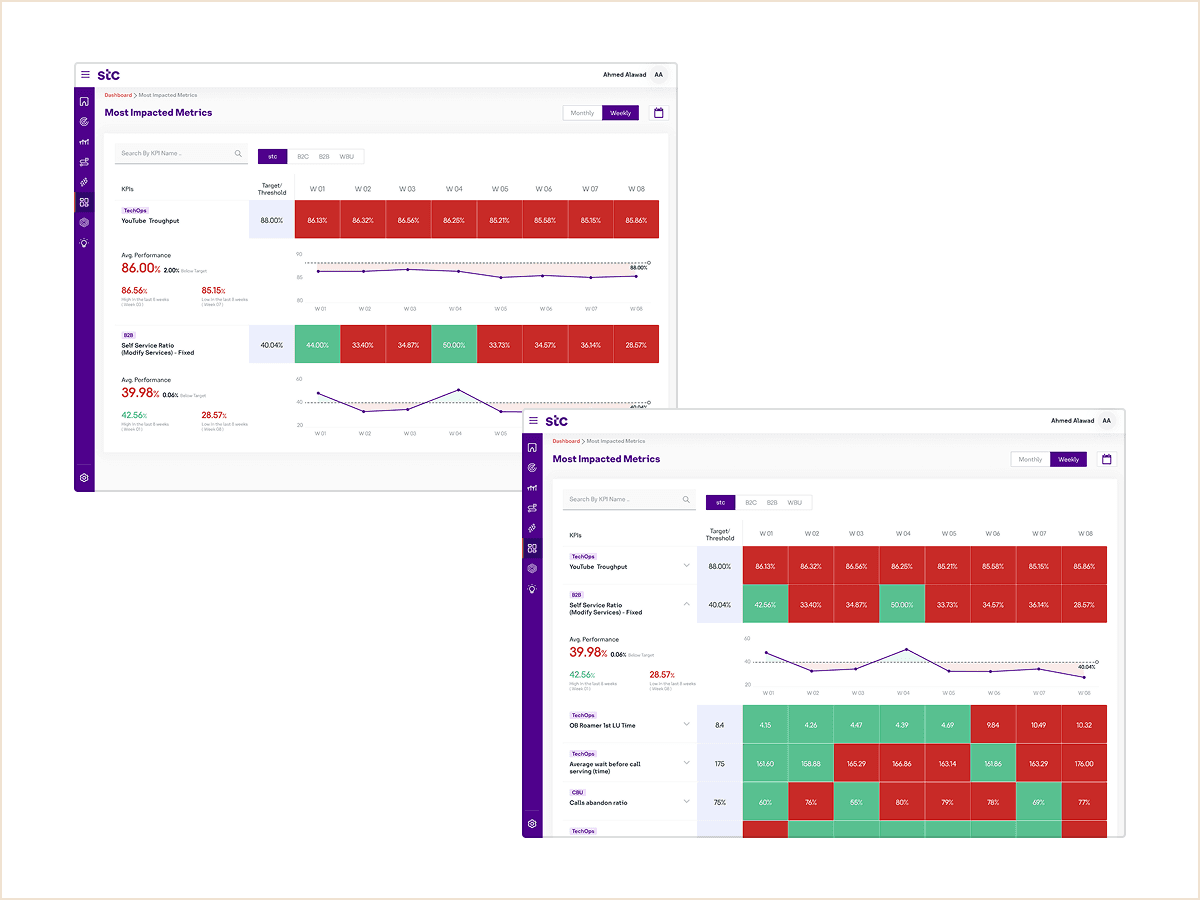
Executives can view high-level KPIs at a glance and drill into detailed insights across business units, enabling both strategic overview and tactical analysis in a single interface.
Executives can view high-level KPIs at a glance and drill into detailed insights across business units, enabling both strategic overview and tactical analysis in a single interface.
Solution 2
Solution 2
Collaborative annotations
Collaborative annotations
Collaborative annotations
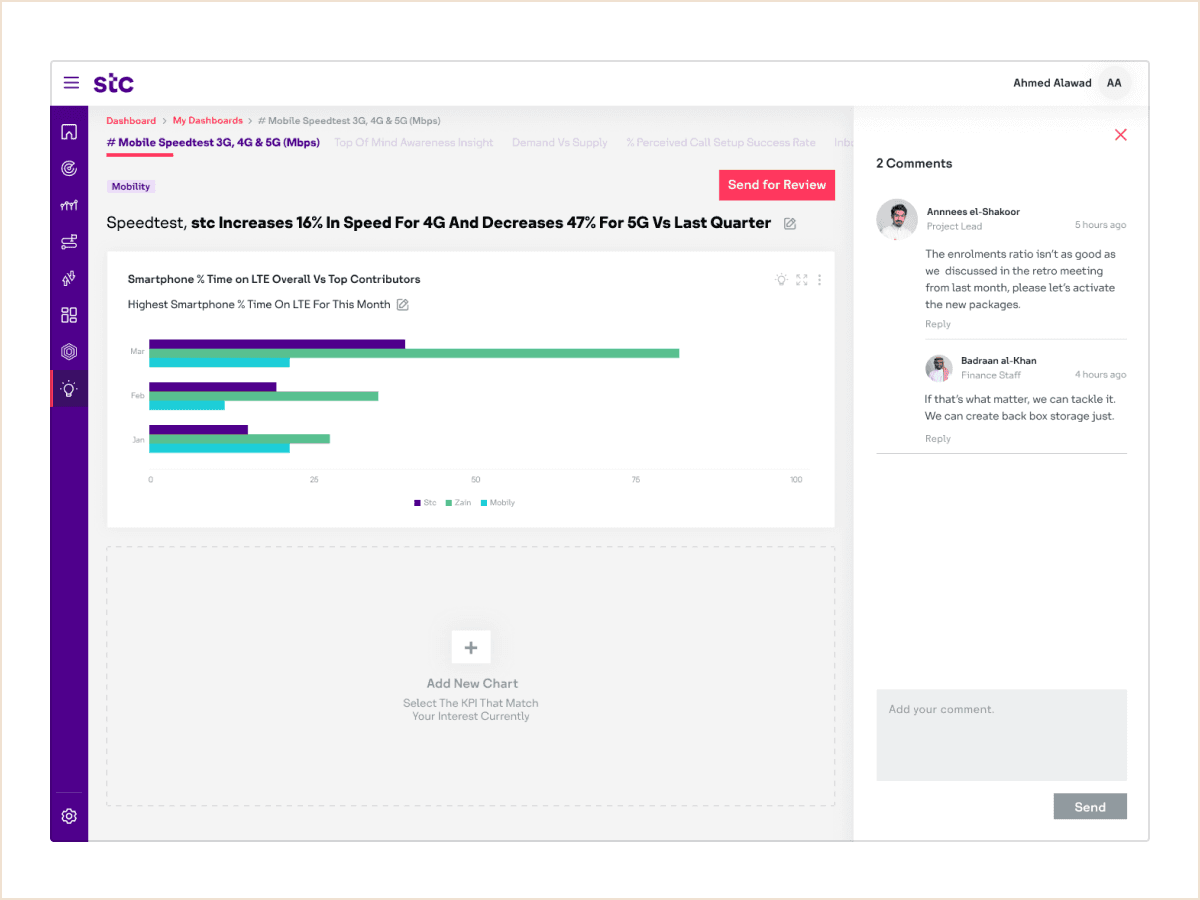
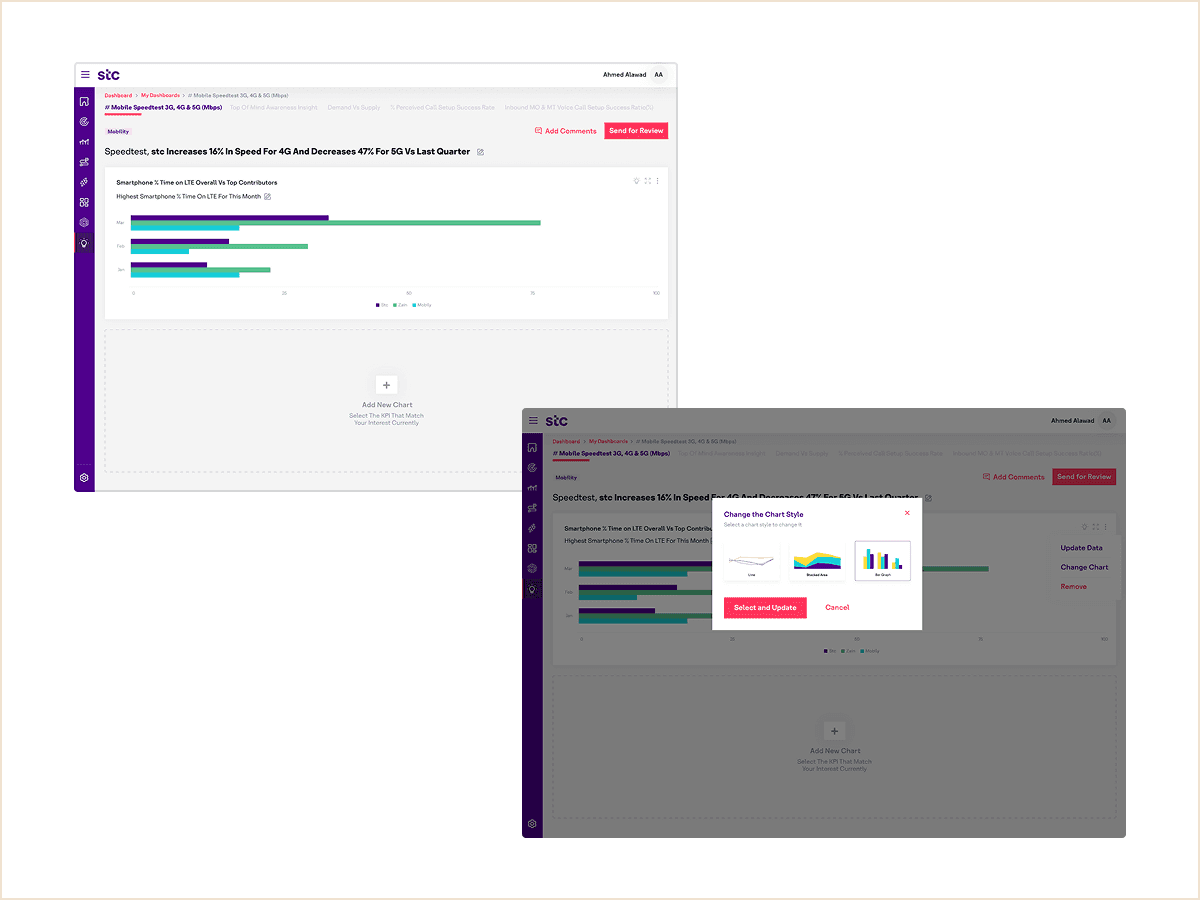
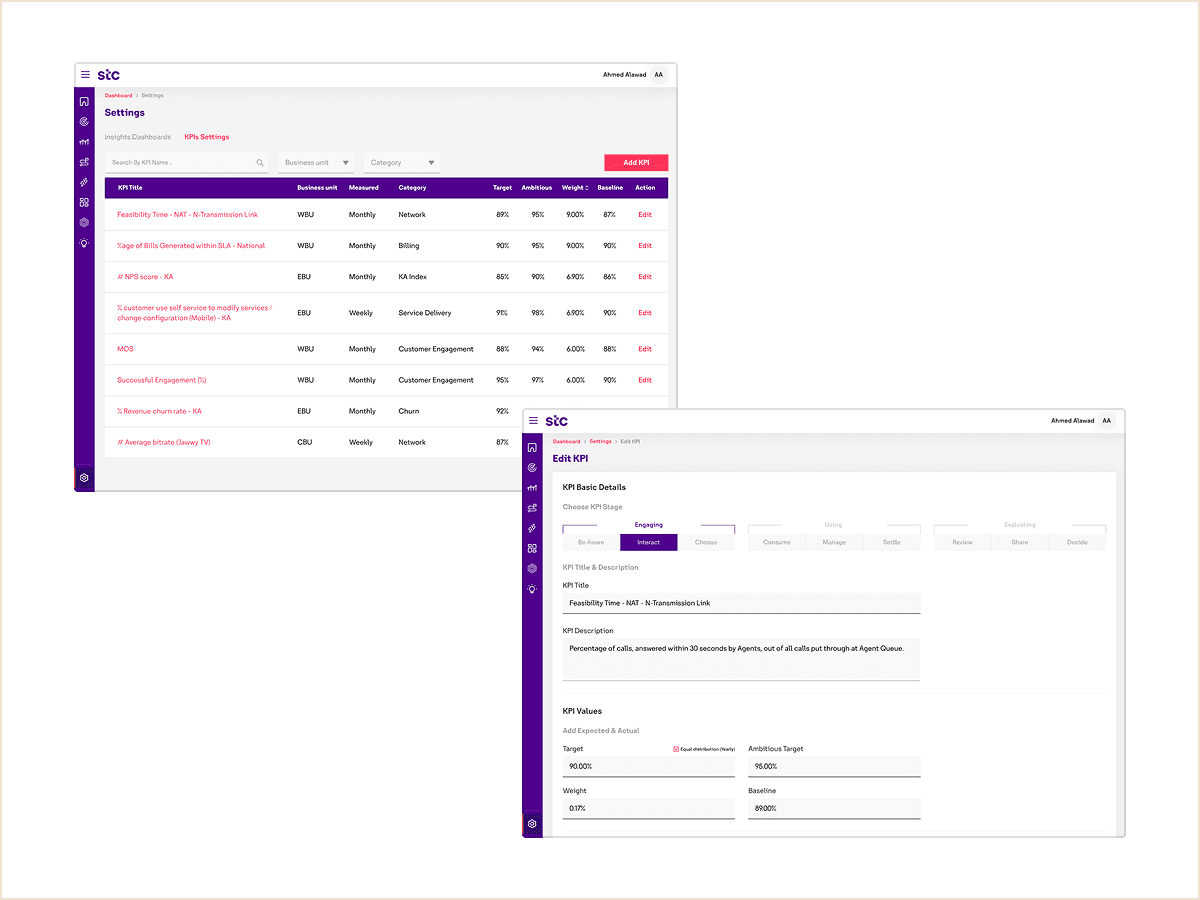
Executives can add comments directly to any KPI, enabling them to flag concerns, document decisions, or request follow-up, fostering data-driven collaboration across teams.
Executives can add comments directly to any KPI, enabling them to flag concerns, document decisions, or request follow-up, fostering data-driven collaboration across teams.
Solution 3
Solution 3
Easy and clear navigation
Easy and clear navigation
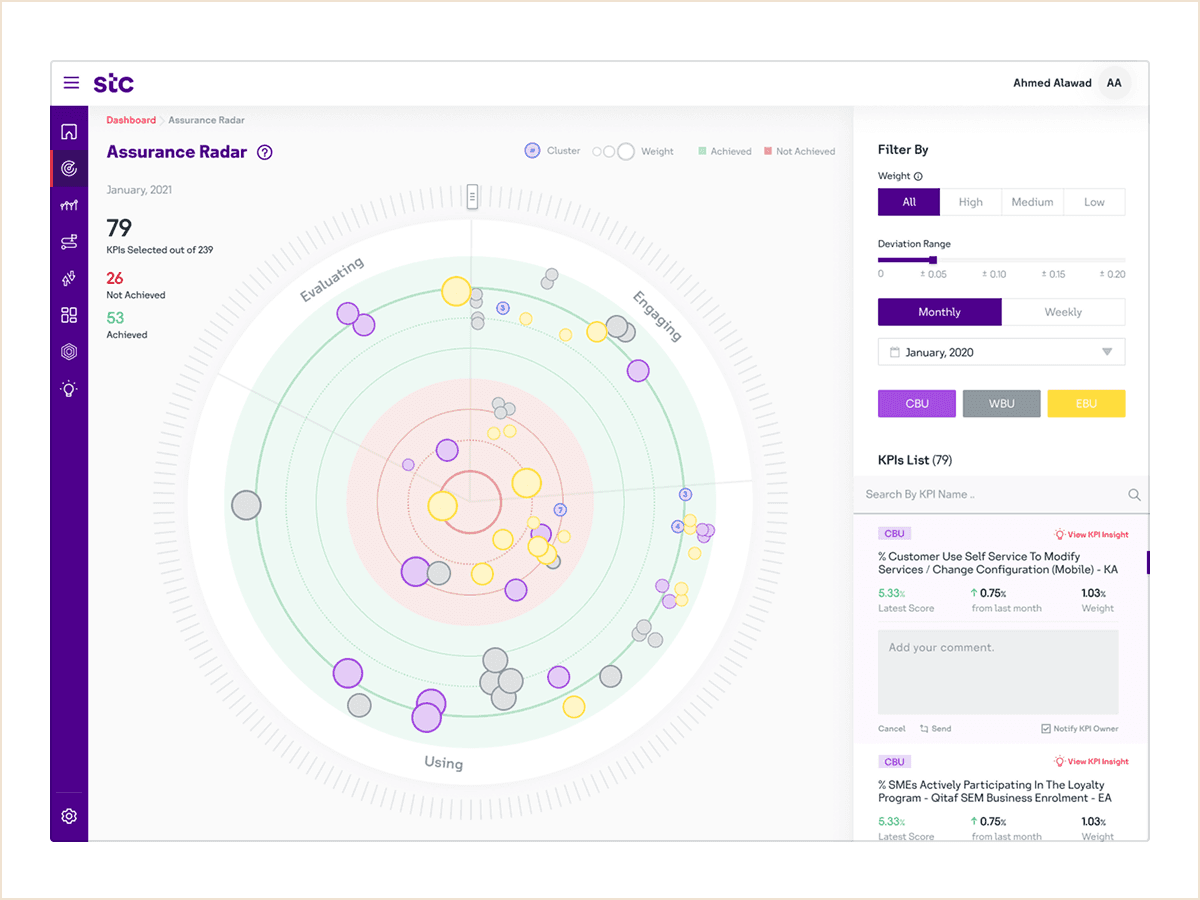
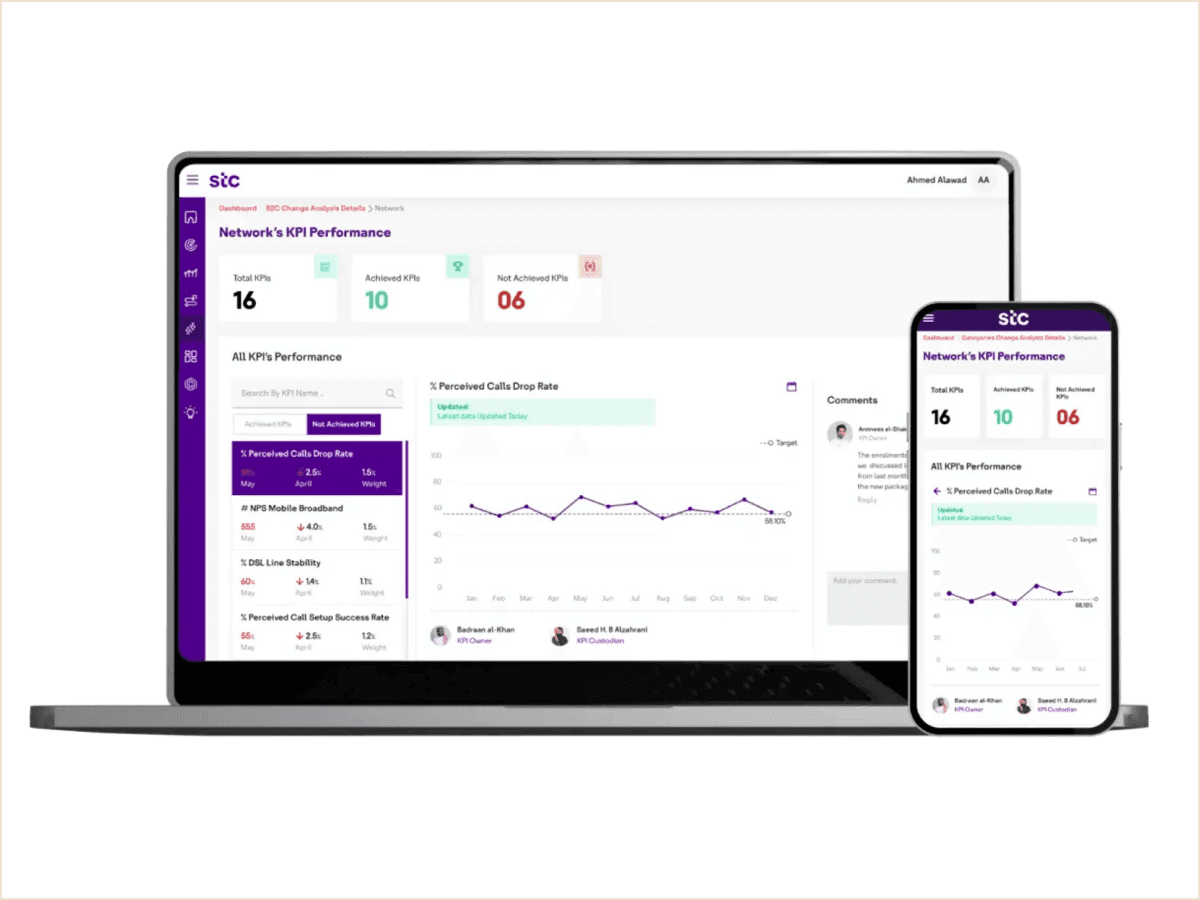
On desktop, persistent left-panel navigation allows seamless switching between dashboard sections.
On desktop, persistent left-panel navigation allows seamless switching between dashboard sections.
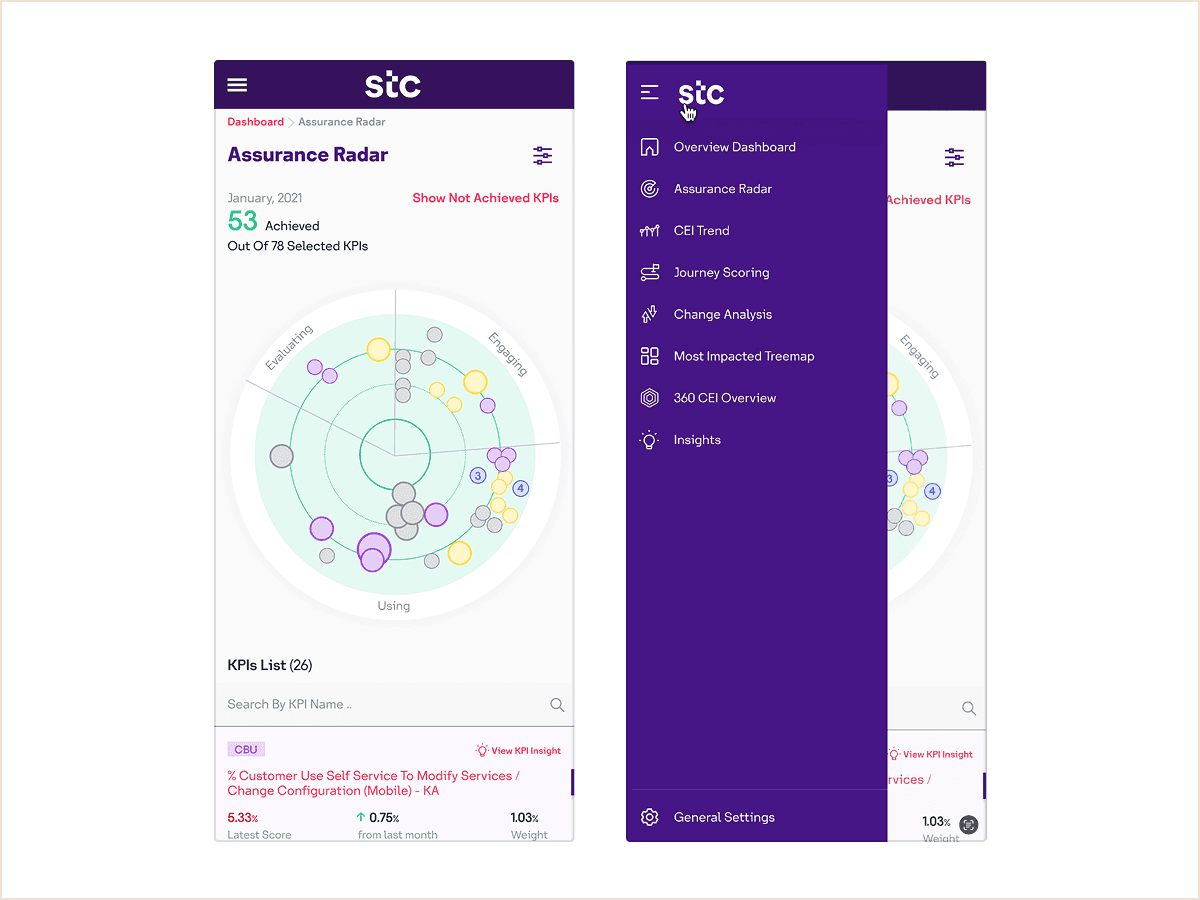
On mobile, top-level hamburger menu provides quick, space-efficient access to the same sections, ensuring consistency across devices.
On mobile, top-level hamburger menu provides quick, space-efficient access to the same sections, ensuring consistency across devices.
Solution 4
Solution 4
Design system for data clarity
Design system for data clarity
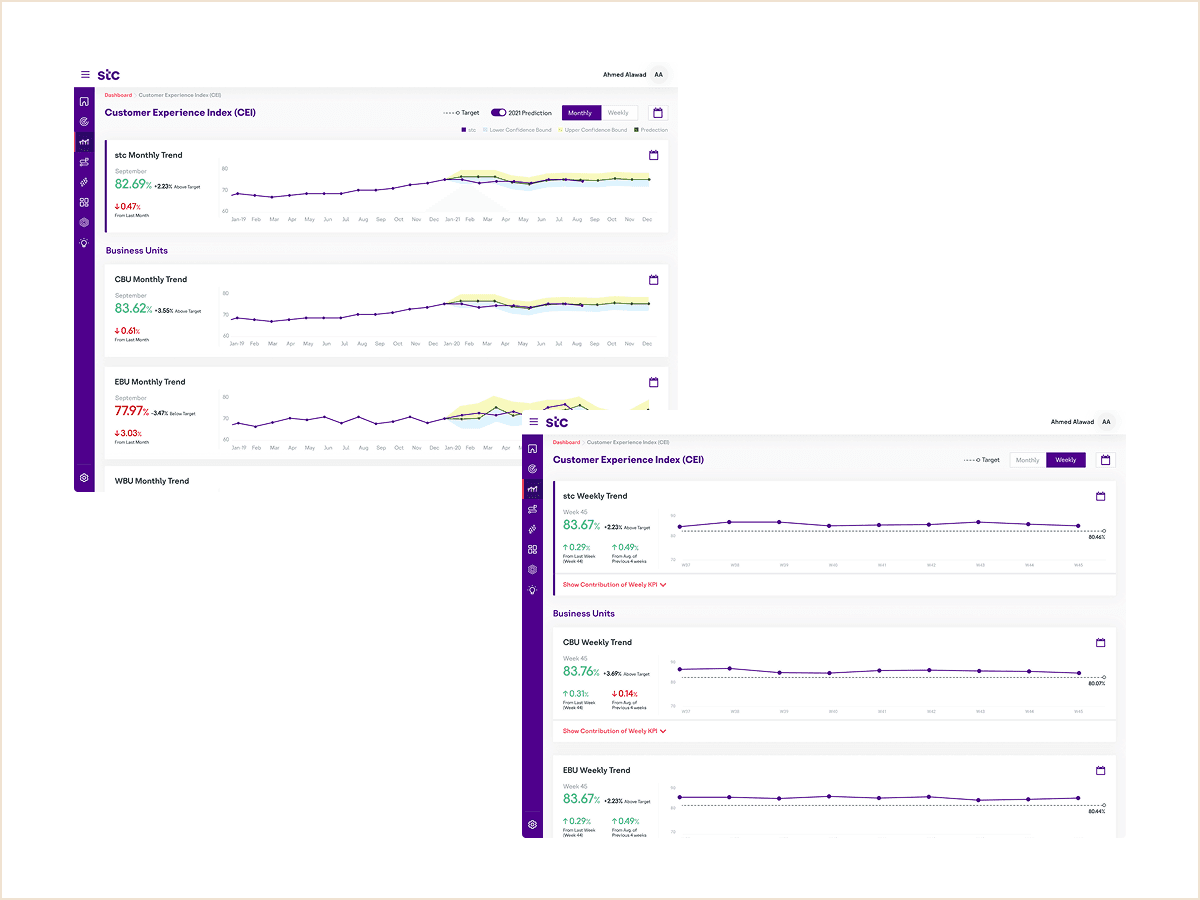
The dashboard uses a clean, spacious layout that prioritizes the most critical metrics. A consistent visualization library (line charts, bar graphs, radar maps) ensures visual harmony and enables rapid development of new modules.
The dashboard uses a clean, spacious layout that prioritizes the most critical metrics. A consistent visualization library (line charts, bar graphs, radar maps) ensures visual harmony and enables rapid development of new modules.
Solution 5
Solution 5
Multi-device accessibility
Multi-device accessibility
Fully responsive design ensures seamless experiences across desktop, mobile, and high-resolution TV displays, enabling executives to review metrics anywhere, from boardrooms to on-the-go monitoring.
Fully responsive design ensures seamless experiences across desktop, mobile, and high-resolution TV displays, enabling executives to review metrics anywhere, from boardrooms to on-the-go monitoring.
This improved consistency and reduced design and development time.
This improved consistency and reduced design and development time.
More screeens
More screeens
Before/after
Before/after
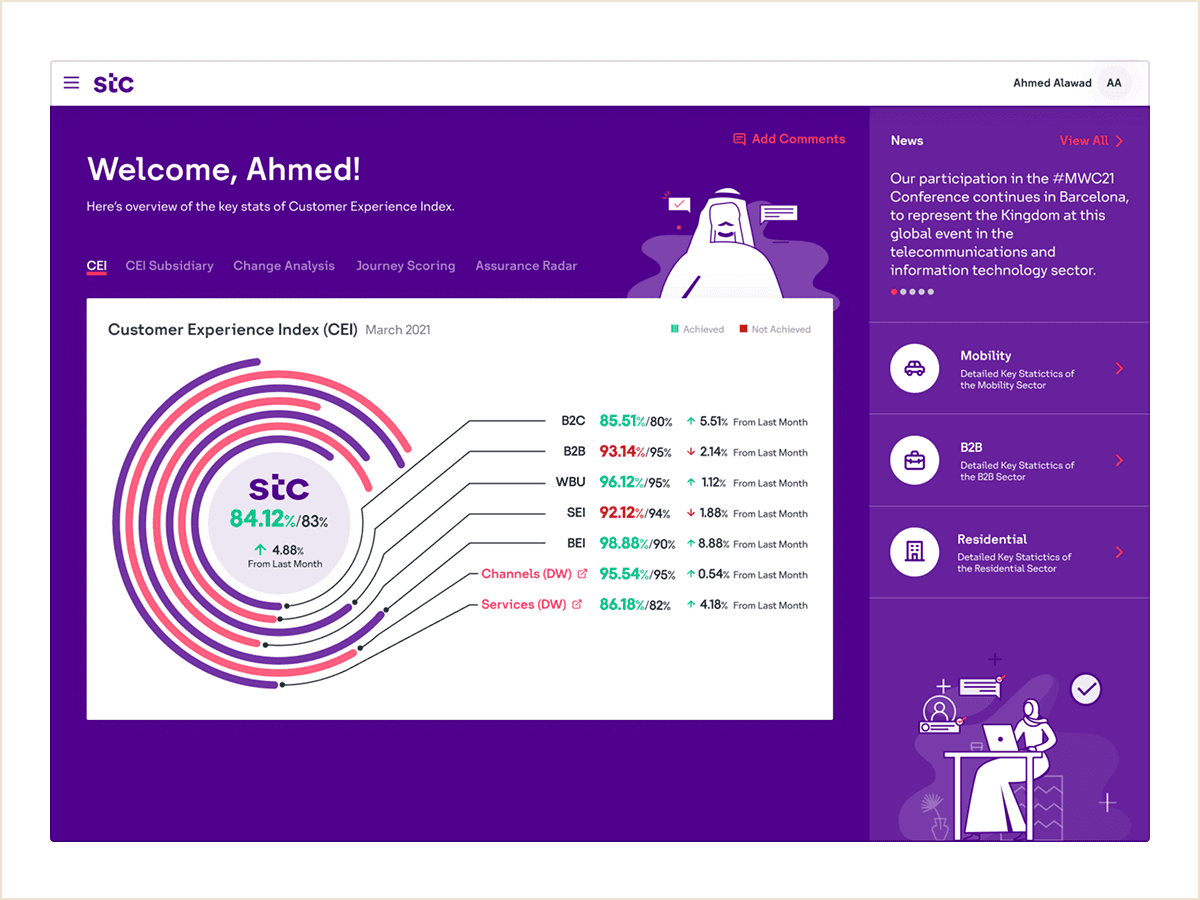
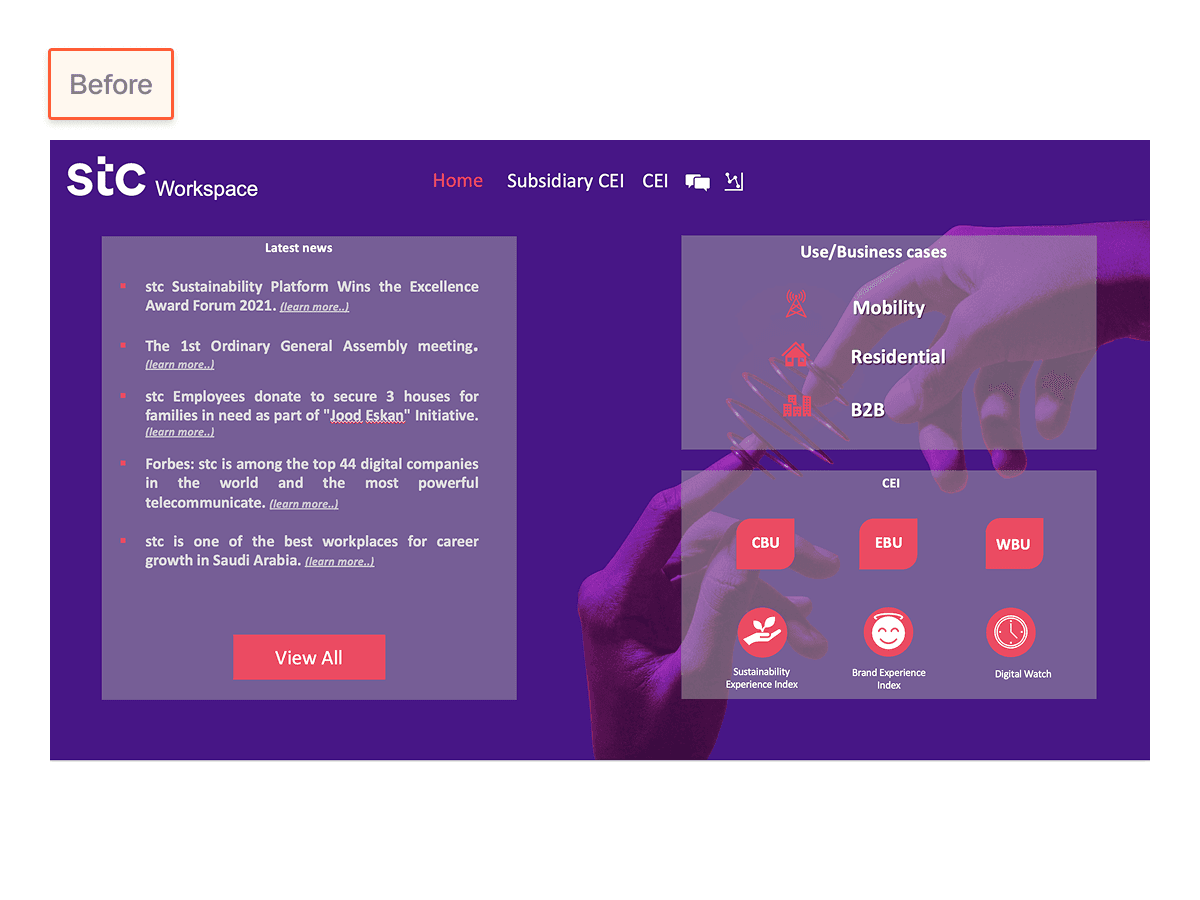
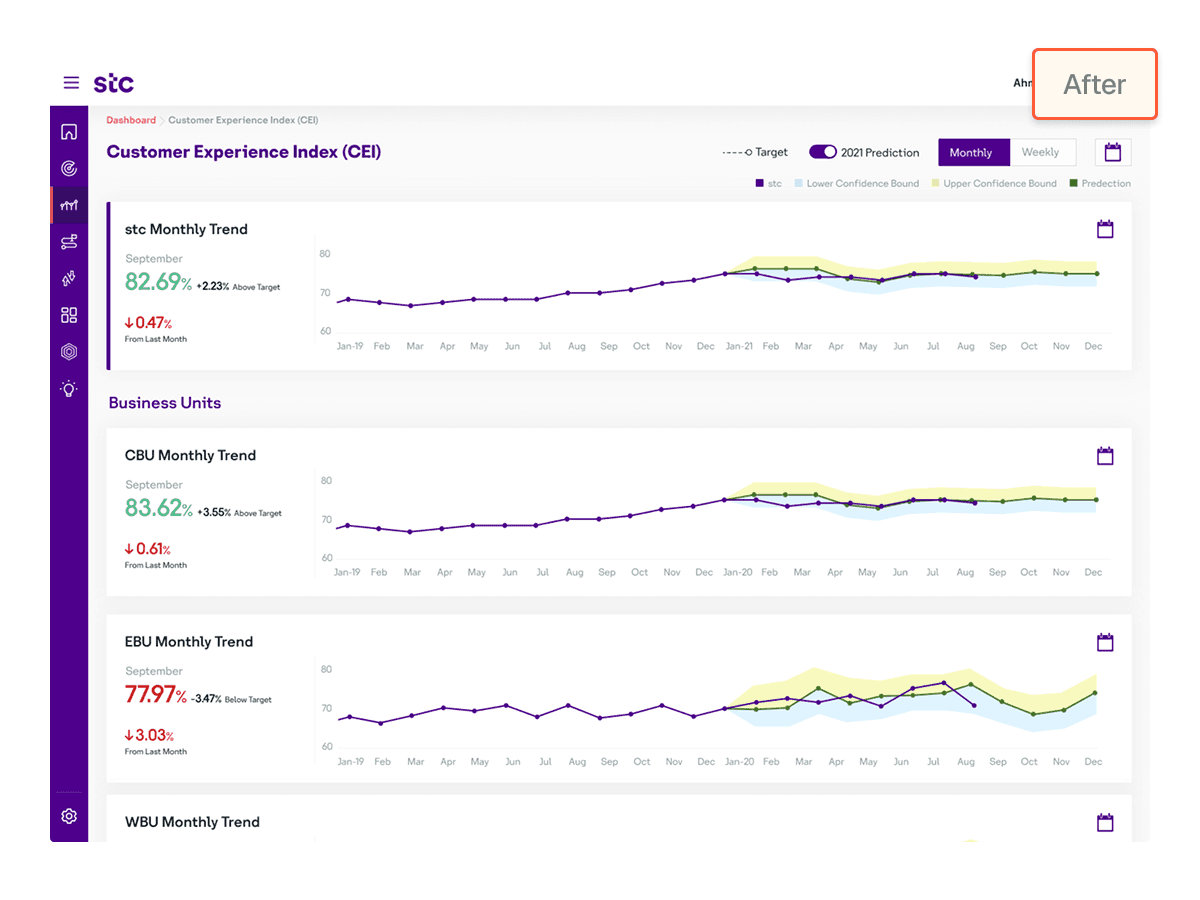
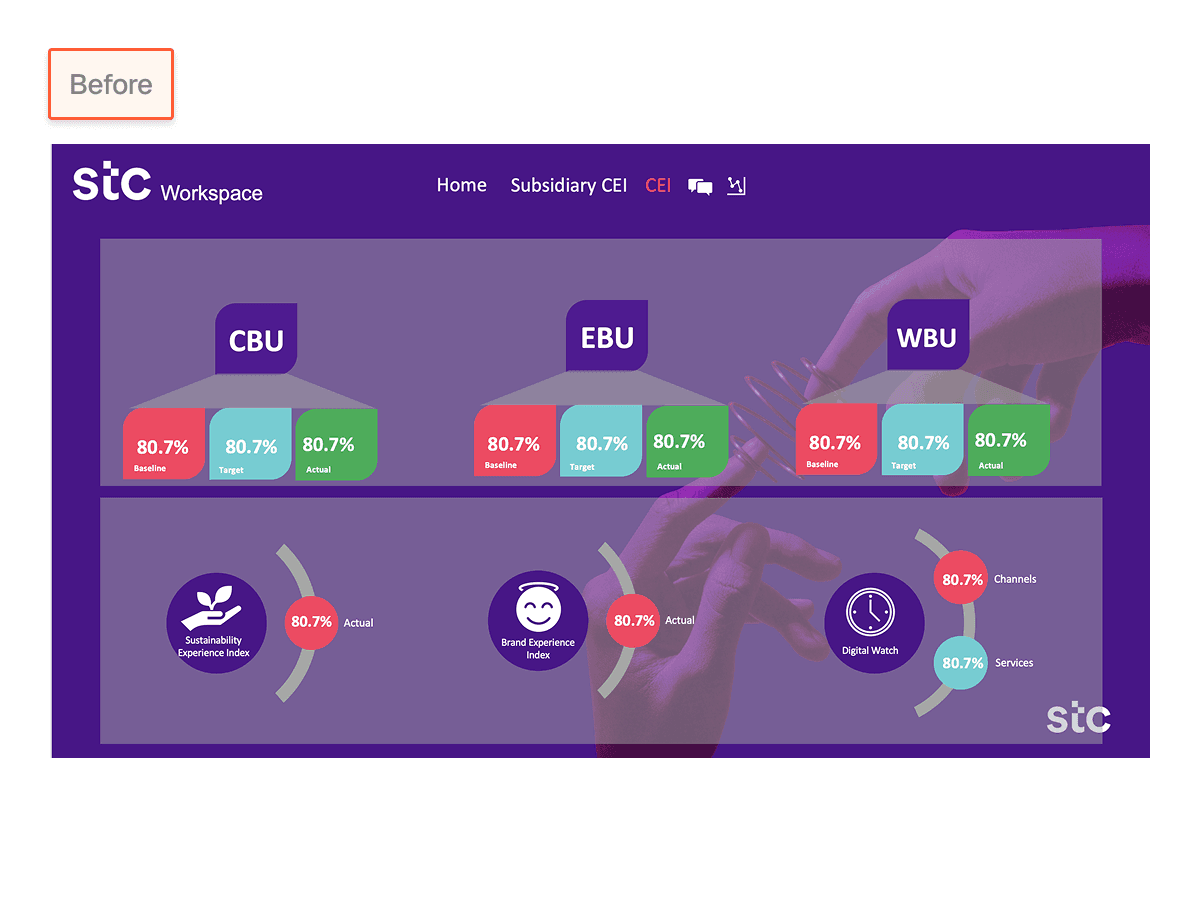
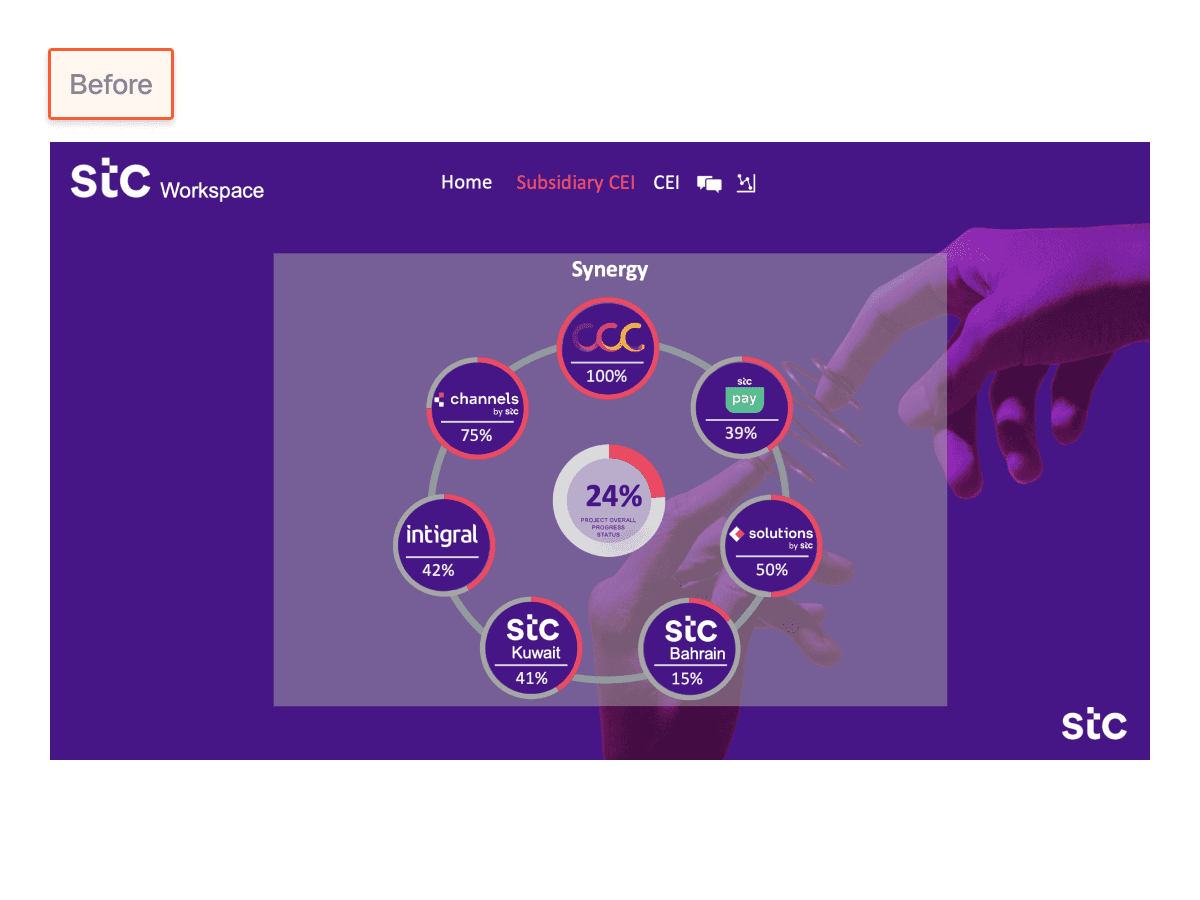
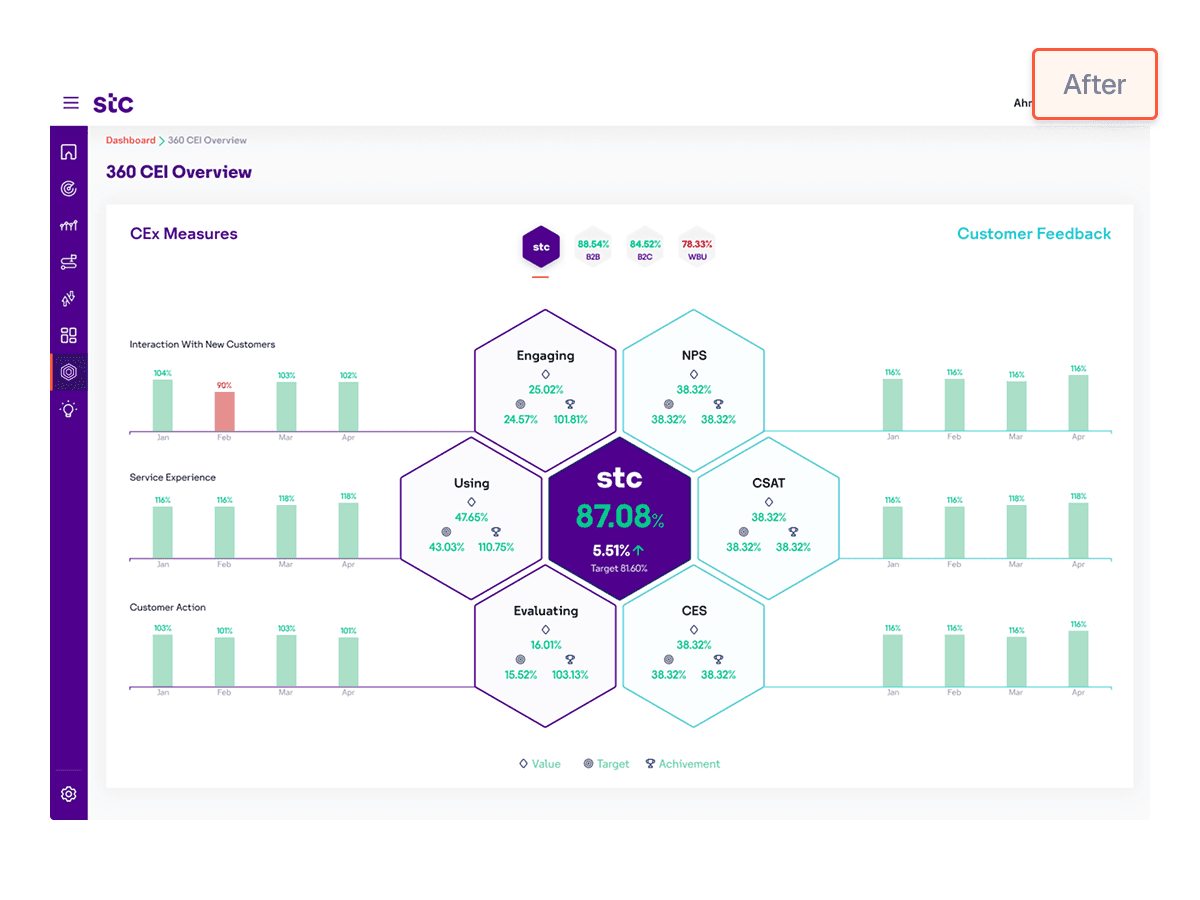
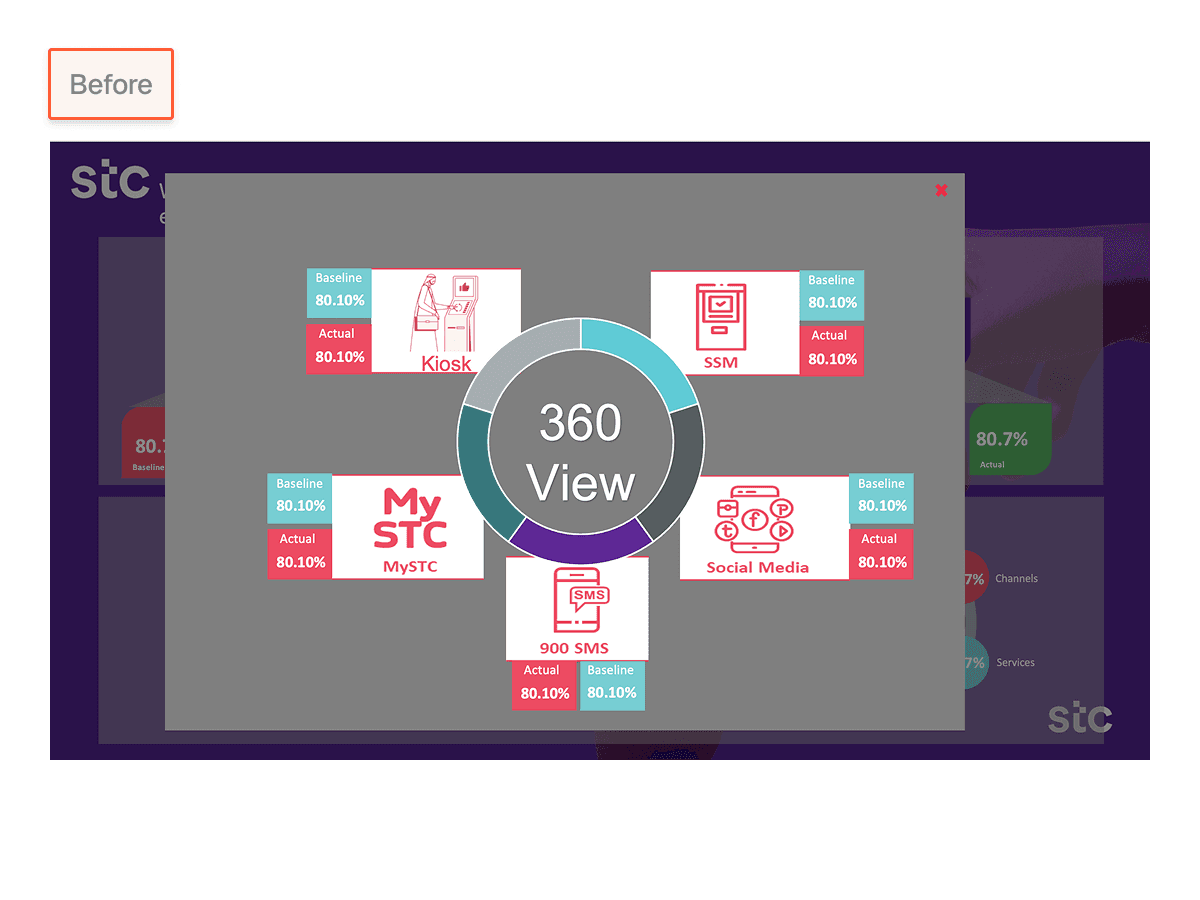
Below are the original dashboard screens provided by the client, shown next to the redesigned dashboard for comparison.
Home screen
Home screen
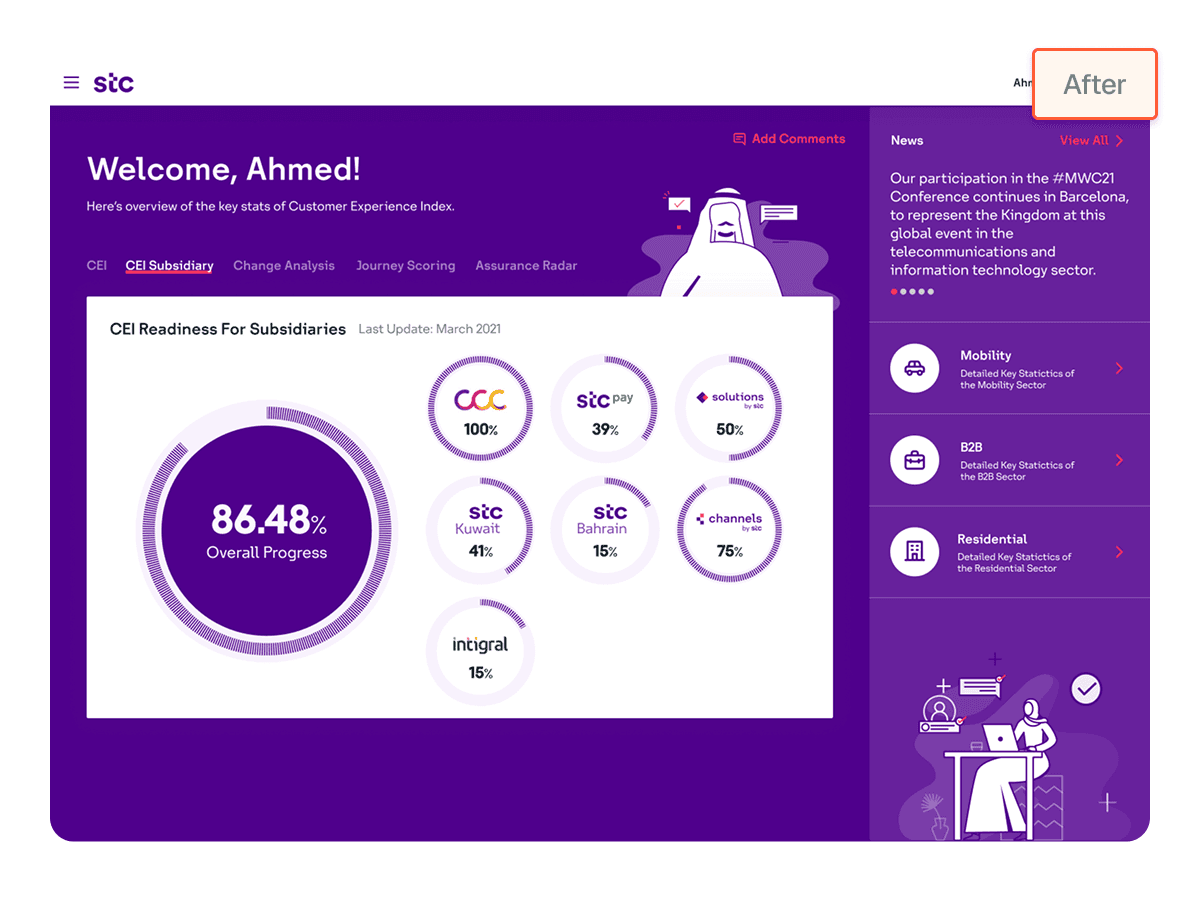
Customer experience index screen
Customer experience index screen
Subsidiary CEI screen
Subsidiary CEI screen
360 CEI overview
360 CEI overview
Learnings
Learnings
Clarity begins with data understanding
Effective dashboard design requires deep understanding of what each metric represents. This informs the right level of detail, hierarchy, and visualization pattern, turning raw data into actionable insights.
Clarity begins with data understanding
Effective dashboard design requires deep understanding of what each metric represents. This informs the right level of detail, hierarchy, and visualization pattern, turning raw data into actionable insights.
Design for regional context
Working with users in Saudi Arabia required adapting to local design conventions and cultural expectations. Understanding region-specific visual patterns ensured usability and relevance.
Design for regional context
Working with users in Saudi Arabia required adapting to local design conventions and cultural expectations. Understanding region-specific visual patterns ensured usability and relevance.
Multi-Device Strategy is Essential
Users access dashboards on desktop, mobile, and large TV displays, each context demands different layout considerations, chart types, and interaction patterns to maintain functionality and visual coherence.
Multi-Device Strategy is Essential
Users access dashboards on desktop, mobile, and large TV displays, each context demands different layout considerations, chart types, and interaction patterns to maintain functionality and visual coherence.
stc (Saudi Telecom Company) — Customer Experience Index (CEI) dashboard
Redesigned Customer Experience Index (CEI) Dashboard to improve visibility across 3 business units.
Industry:
Telecommunications
Role:
Information & UI Designer
Contribution:
Information architecture, Data visualization, UI design, and Interaction design.
The best diagnostic is the one users complete.
stc_case_study.exe

Contact:
@2026 Tanuj Bisht • Designed & developed in Framer with ❤️ by me
@2026 Tanuj Bisht • Designed & developed in Framer with ❤️ by me